

Helping Beginners Learn DIY Home Skills with Confidence
Projectly is a mobile app designed to help beginners confidently learn and complete DIY home improvement projects through structured, step-by-step guidance.
Many aspiring DIY learners struggle with unclear instructions, overwhelming resources and lack of confidence. Projectly addresses this by providing guided tutorials, curated learning paths and beginner-friendly project recommendations.
My Role:
I was responsible for the entire design process including:
User research
User interviews
Affinity mapping
Persona development
User flows
Wireframing
UI design
Prototyping
Usability testing
Timeline:
8 weeks
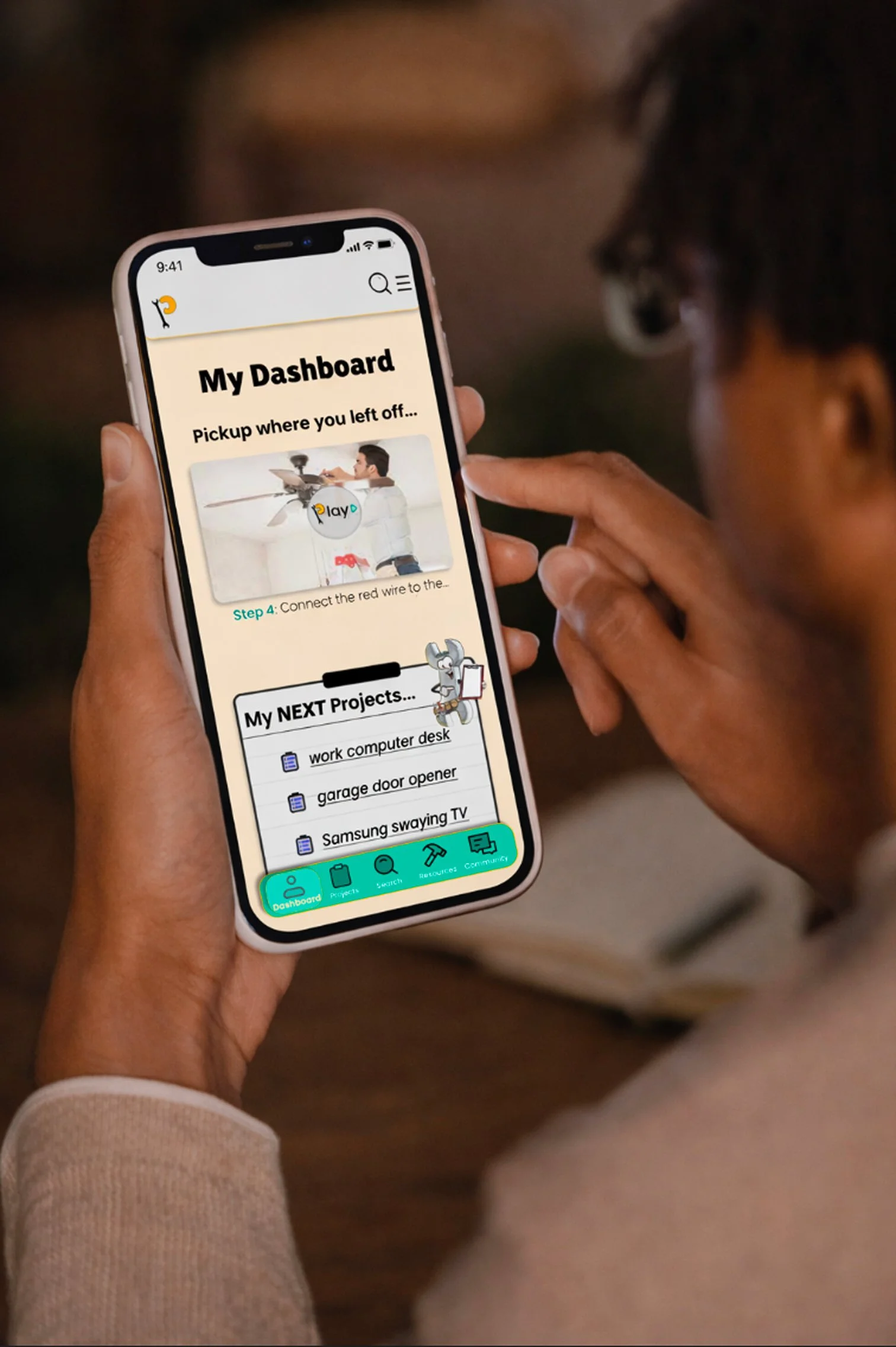
Design a mobile app that helps beginners confidently learn and complete DIY home projects through structured, beginner-friendly guidance.


Goal
Problem
Beginner DIY learners often lack confidence and clear guidance when attempting home improvement projects. Existing resources such as YouTube and blogs are fragmented, overwhelming and not designed specifically for beginners. This leads to:
Hesitation to start projects
Abandoned projects
Frustration and lack of confidence
User Interview
Key Insights
Research
I feel overwhelmed by the number of DIY resources available.
”
“

“
“
“
“
I have a lack in confidence in my ability to complete project.
”
I prefer step-by-step guidance especially on an unfamiliar project.
”
I want structured learning paths instead of random tutorials.
”
”
I fear making any mistakes which creates apprehension to start a project.
Personas
Goals:
Find renter-friendly DIYs with clear steps
Keep track of inspiration and project materials
Build confidence through successful small wins
Carlos
Goals:
Learn the basics of DIY through clear, step-by-step guidance
Complete affordable, beginner-friendly projects to personalize his space
Gradually build skills and confidence through hands-on learning
Define
“I get excited about projects, but then I see all the steps and I just close the tab.”
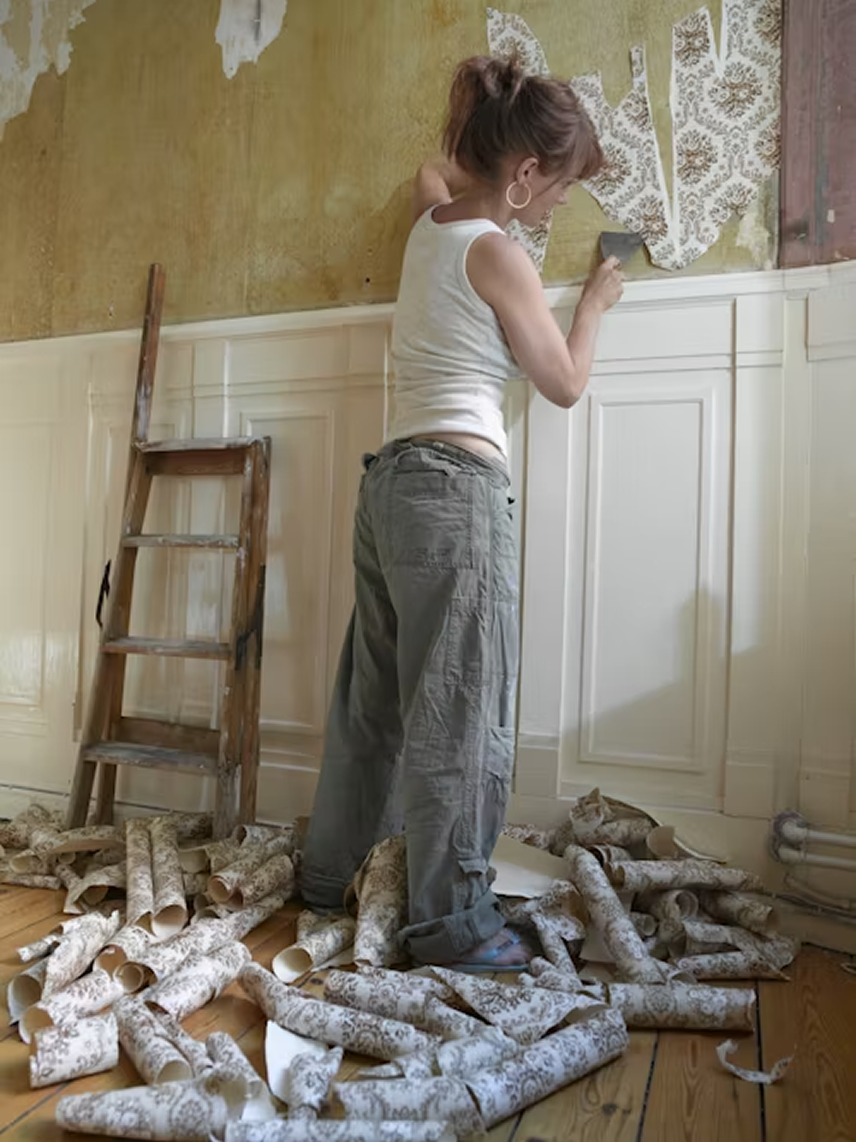
Jamie is a 33-year-old marketing professional living in a cozy 2-bedroom apartment. Between work deadlines and social plans, she still craves a space that reflects her style without breaking her lease or the bank. She loves the idea of DIY but gets overwhelmed by cluttered tutorials and unclear tools lists. Jamie wants projects that feel manageable and satisfying, with built-in organization that helps her stay on track. She’s excited by progress she can see and check off, but hesitant to start unless she knows exactly what’s involved. With the right tool, Jamie could turn anxiety into accomplishment and finally create the space she’s imagined.
Motivations:
Enjoys creating a space that feels like home
Wants to feel capable and resourceful
Finds satisfaction in checking off completed tasks
“I’m not super handy, but if someone just shows me how, I can usually figure it out.”
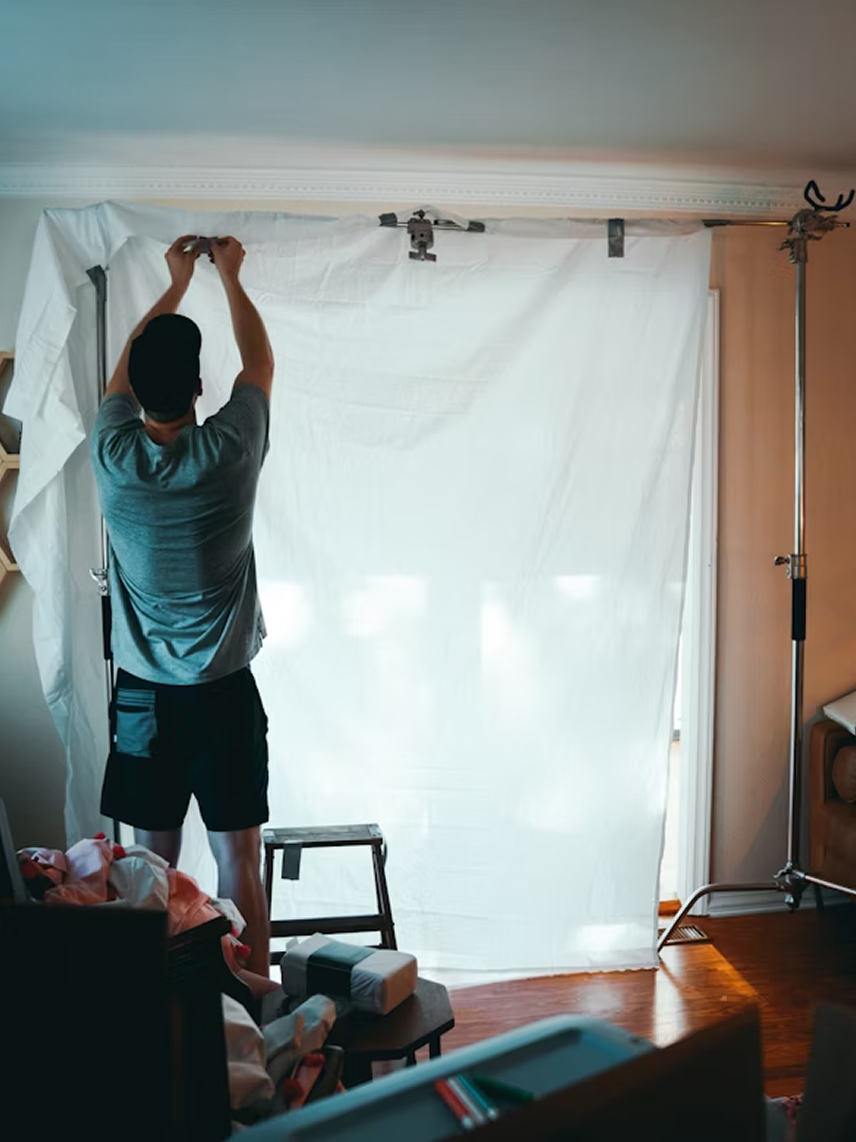
Carlos is a 26-year-old retail worker living in a small rental apartment. He’s recently gotten into DIY through social media videos and wants to learn more, especially for simple home upgrades and space-saving hacks. With limited time and budget, Carlos looks for straightforward, affordable solutions that don’t require expert tools or skills. He’s motivated by the satisfaction of doing things himself and the pride that comes with transforming his space. Carlos appreciates apps and tools that are intuitive, guide him step-by-step, and help him build confidence without feeling judged or overwhelmed.
Motivations:
The satisfaction of doing something on his own and seeing results
Making his rental feel more like home without needing a contractor
Inspired by social media DIY content and creators who “make it look easy”
This persona helped guide design decisions and ensured the solution remained user-focused.
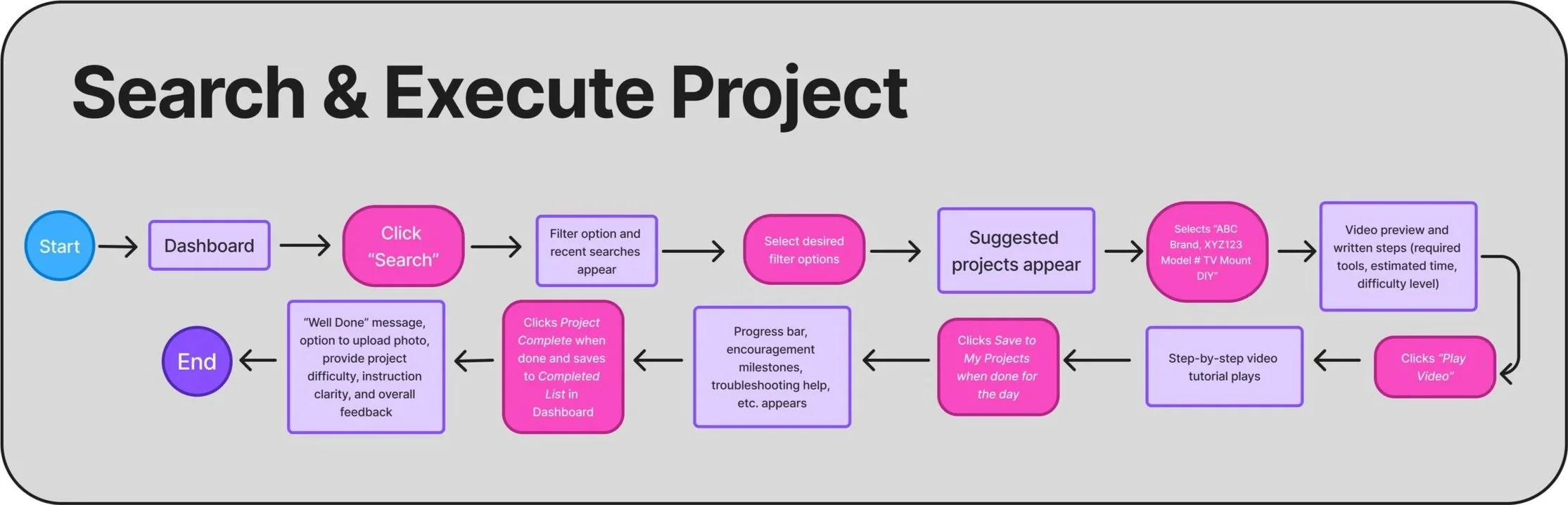
User Flow
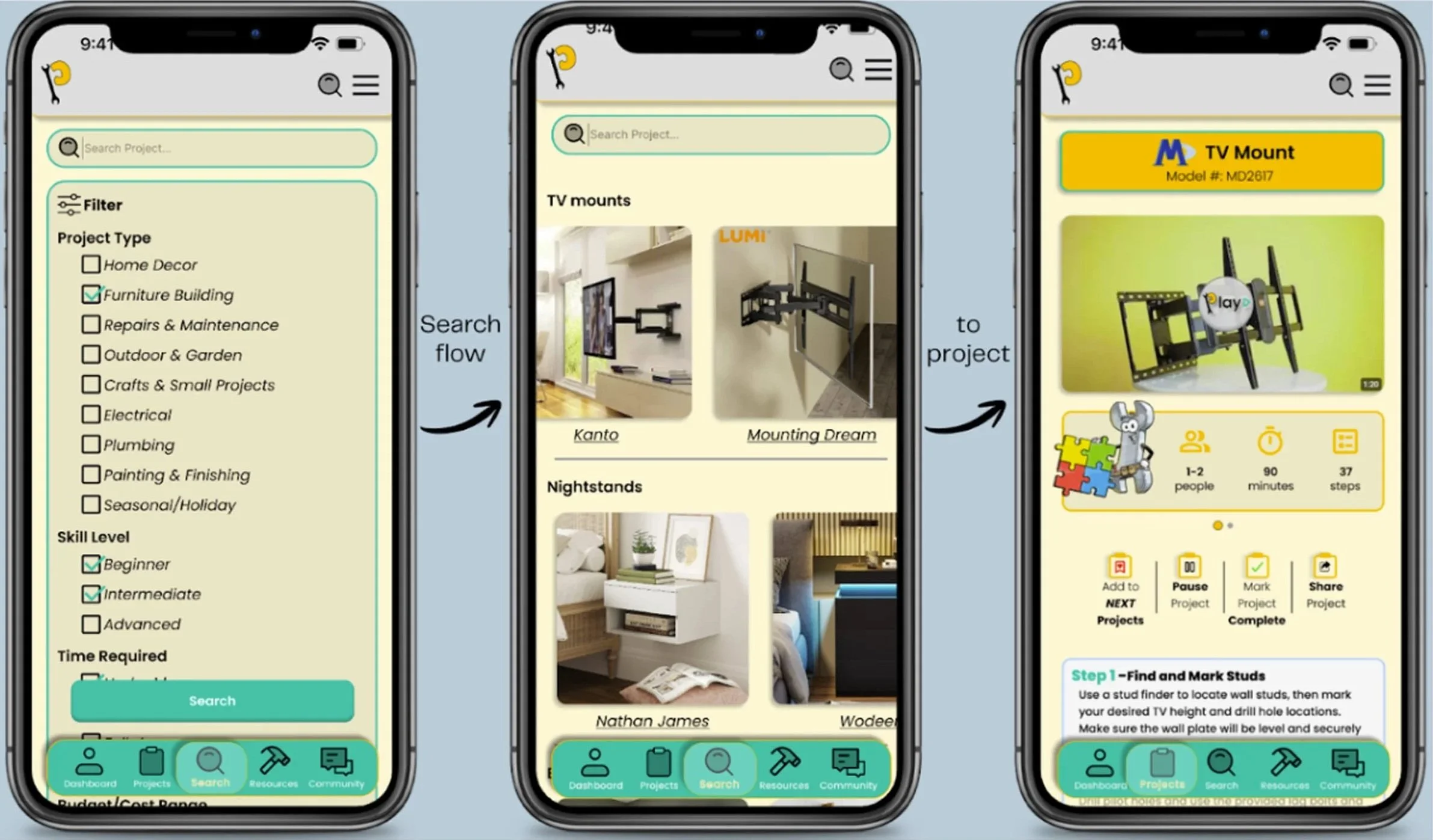
I created user flows to define how users would navigate the app, from discovering projects to completing them.
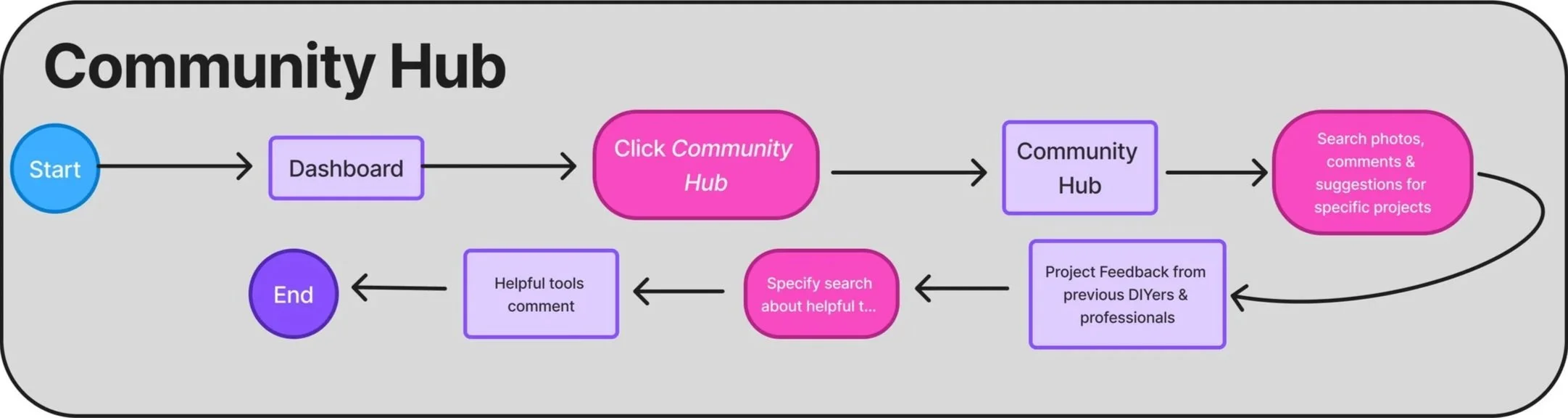
This ensured a clear, intuitive experience.
Needs:
Easy-to-understand tutorials with visuals or short videos
Clear tool and material lists that don’t assume prior knowledge
A supportive, non-judgmental learning experience
Jamie
Needs:
Step-by-step guides with visuals and timers
All materials and tools listed up front
A way to track progress across multiple projects
Design
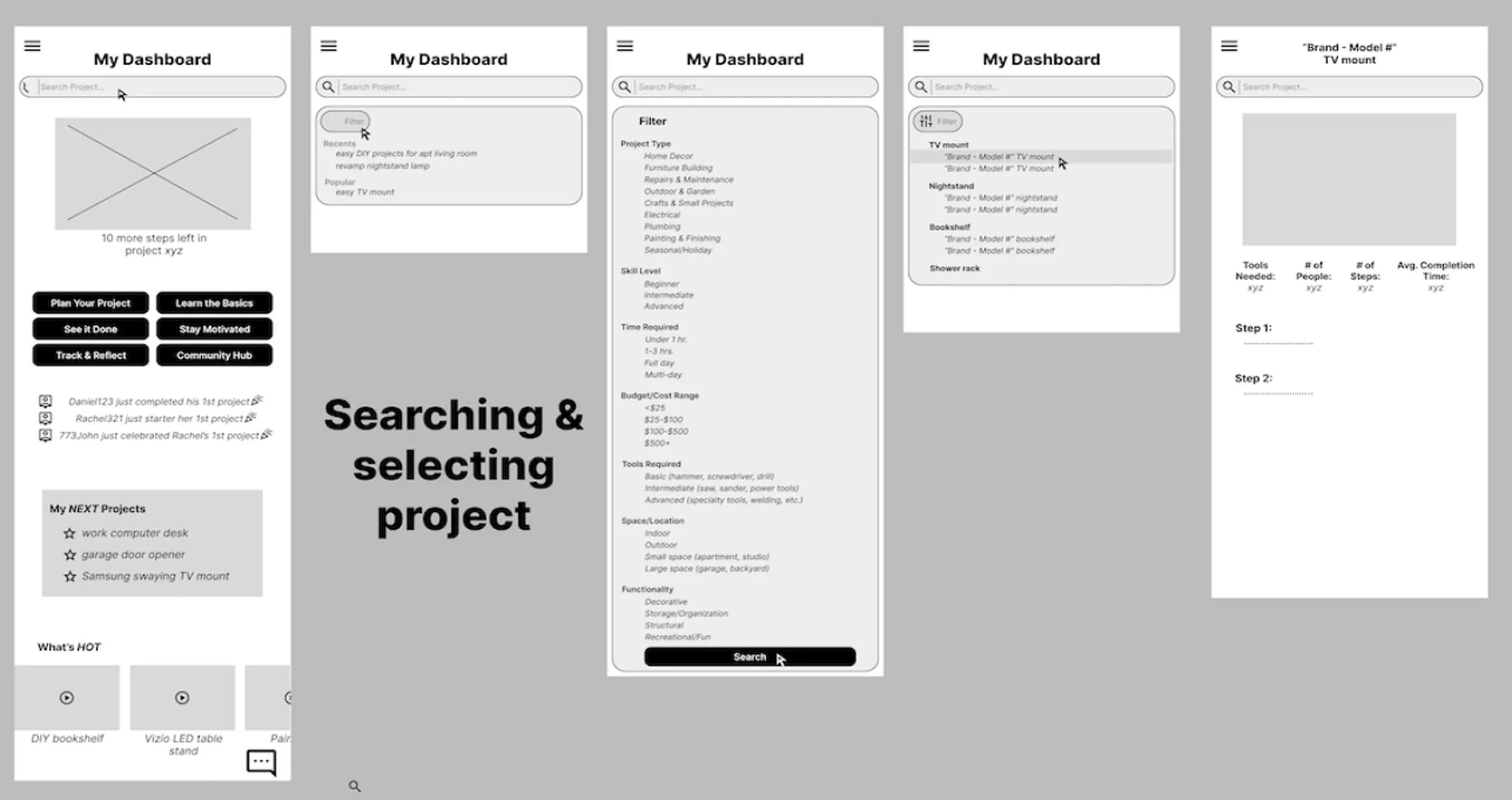
This allowed me to quickly explore ideas and iterate before refining the visual design. The final interface was designed to feel clean, approachable and beginner-friendly while maintaining a structured and clear layout. A strong visual hierarchy was used to guide users through the experience and make important actions easy to identify. To reduce cognitive load, the interface focuses on simplicity and avoids overwhelming users with too many options at once. The overall flow follows a guided, step-by-step structure that helps beginners feel supported as they move through a project. This approach was intended to create a confidence-building experience that makes learning new DIY skills feel manageable and achievable.
Testing
Usability Testing
I conducted usability testing using interactive prototypes to evaluate usability and identify friction points. Key findings:
Users found navigation intuitive
Users appreciated structured guidance
Users felt more confident using the app
FINAL Solution
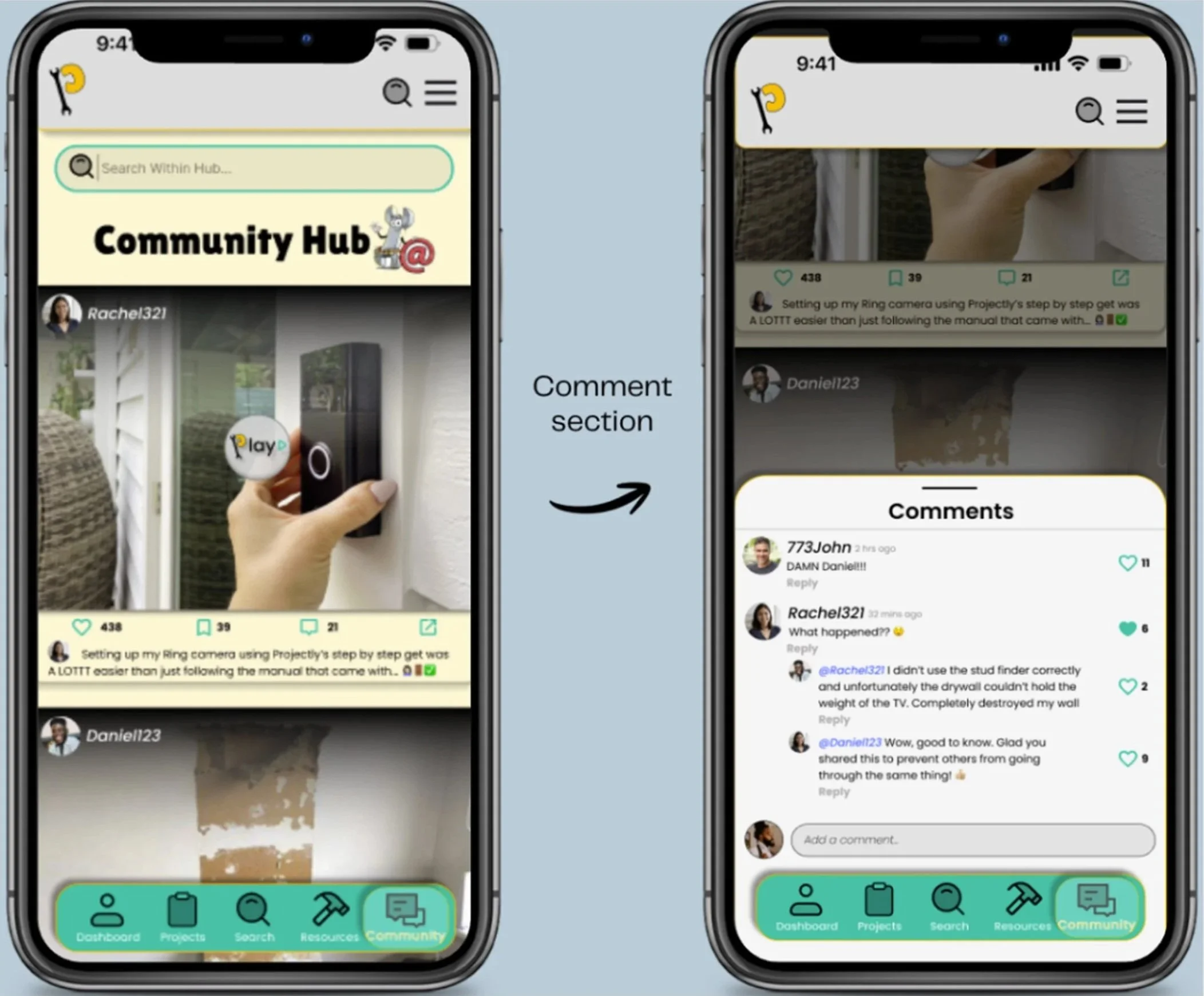
Based on feedback, I improved:
Navigation clarity
Instruction structure
Visual hierarchy

Projectly provides a structured, beginner-friendly platform that helps users confidently learn DIY skills and complete home projects.
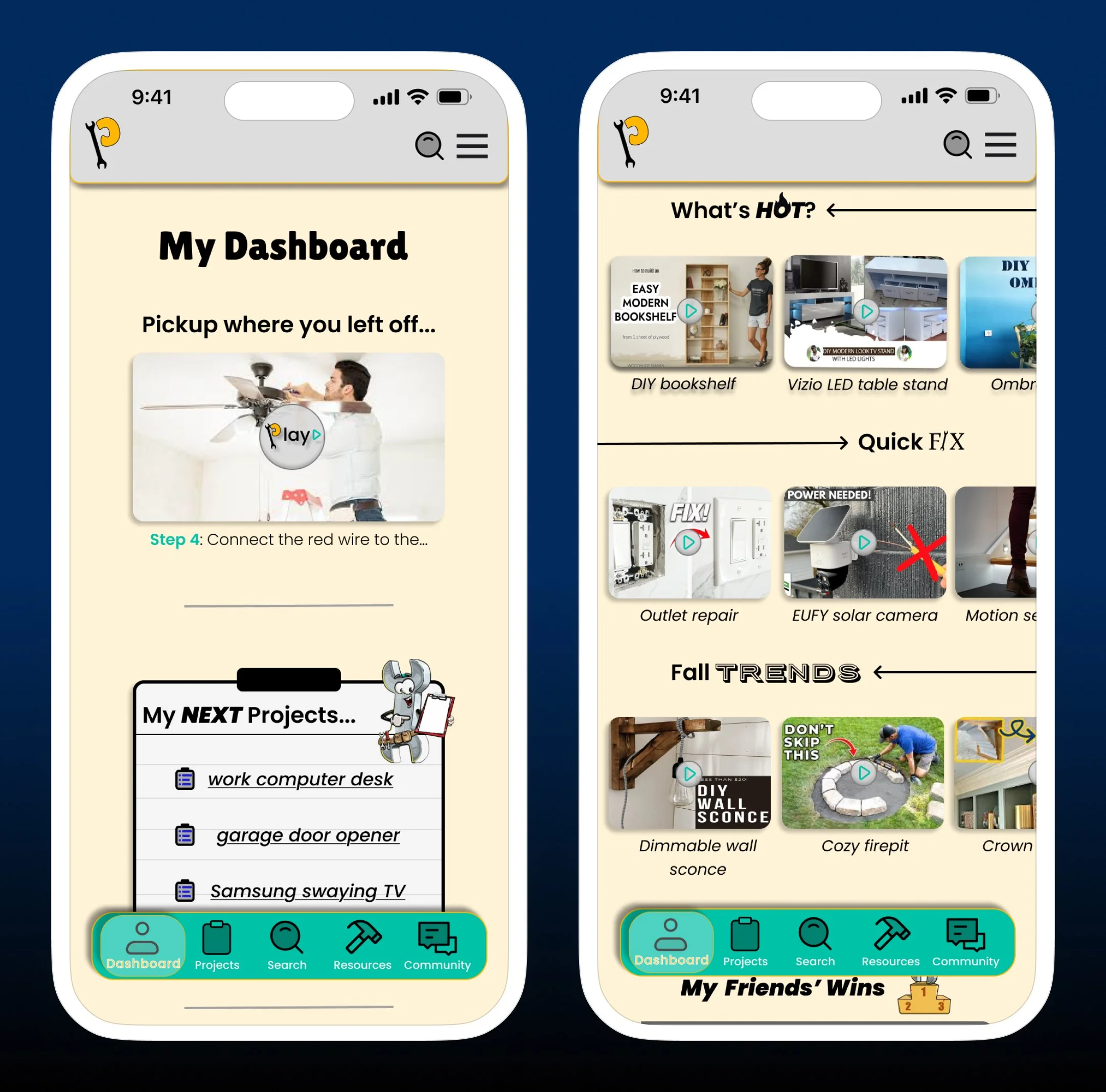
Iterations
Projectly addresses key user pain points by:
Reducing overwhelm
Increasing confidence
Providing structured guidance
Impact
Key Learnings
This project reinforced the importance of:
User research
Iterative design
Designing for beginner confidence
Reflection
Challenges
One key challenge was simplifying complex DIY processes into clear, beginner-friendly steps.
Next Steps
Future improvements could include:
Progress tracking
Personalized recommendations
Community features